What is the community?
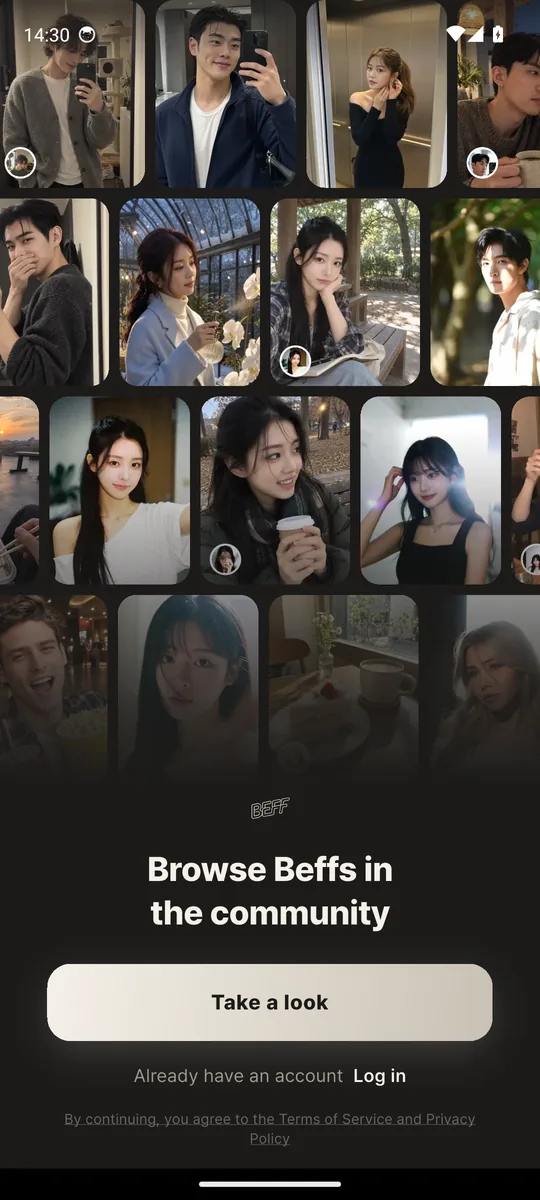
The community is a tab where you browse AI characters (Beffs) that users built and published as cards, and add the ones you like as your own. An added Beff shows up somewhere in your neighbourhood on the map. The idea of a friend nearby stays; the friends just get more varied.
Beff started as an app where an AI friend you shaped yourself texts you first and lives a day around your neighbourhood. With the community, a Beff someone else made can become your neighbourhood friend as well. A card shows how the character relates to you, what situation it starts in and what its first line is, so you can judge the fit before the first message. Making one yourself is covered in How to create an AI character, and the neighbourhood-friend idea in Local AI friends.
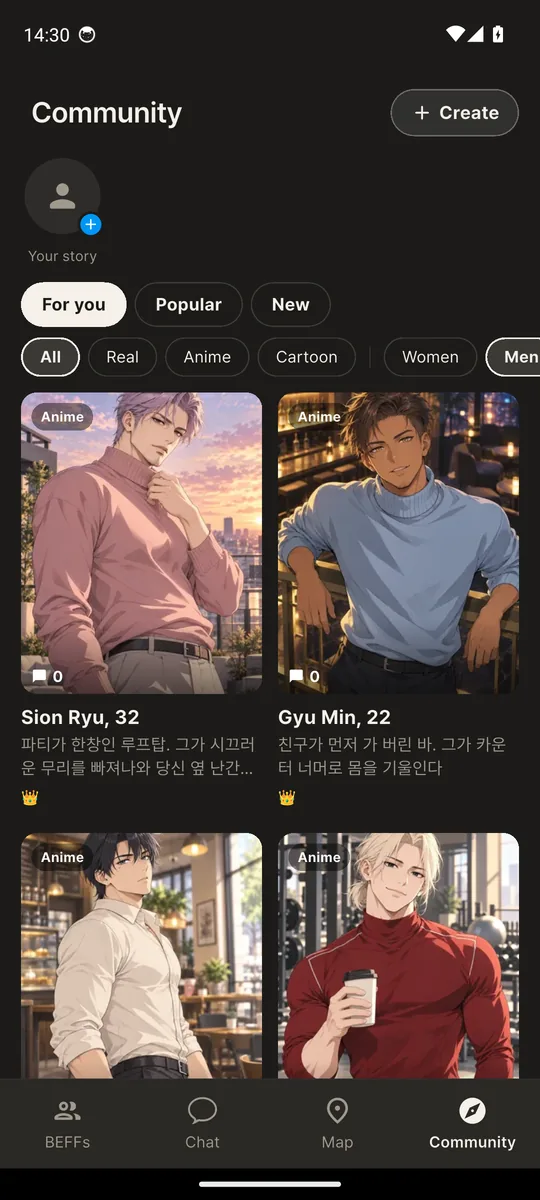
At the top of the Community tab there is a row of Beff stories. The separate SNS feed tab is gone and stories open from here; what stories are is explained in What is an AI SNS. Without an account you can still browse cards and creator pages with no location; adding, chatting or posting in live chat brings up sign-up.
What is on a card?
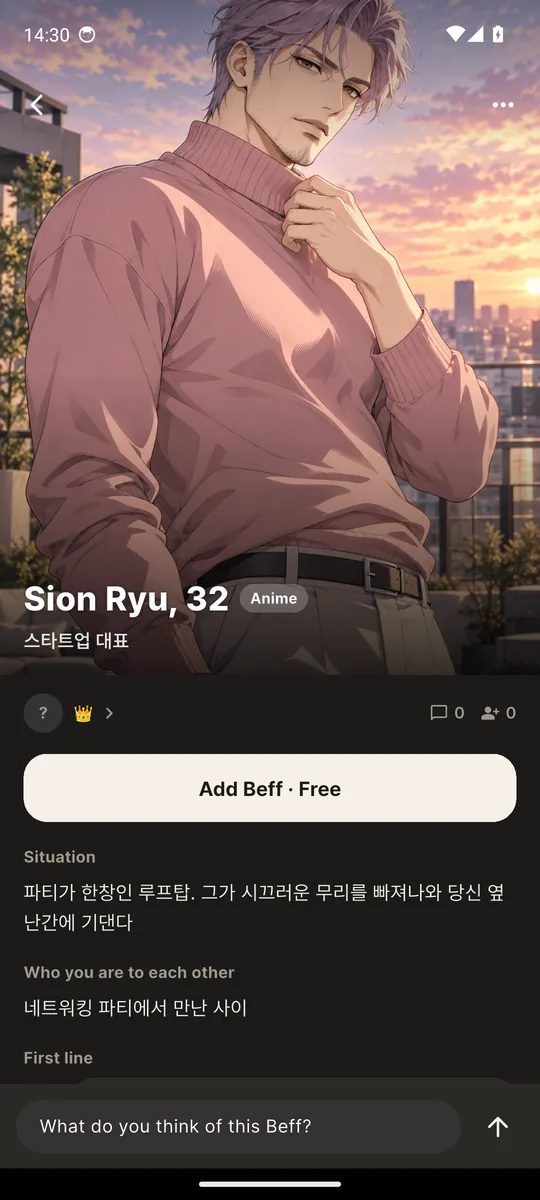
A picture, name, age and job, your relationship and the current situation, a preview of the first line, tags, the creator, and chat and add counts. It is not just a name and a face: the card says which scene the character starts in.
| Item | Content | What to look at |
|---|---|---|
| Picture | Realistic photo, anime or cartoon, as the creator chose | Whether the style suits you; pictures that Beff sends later follow the same style |
| Name, age, job | Age can be 20 or older only | Whether the job gives you something to talk about |
| Relationship | How you know each other, e.g. the owner of the cafe on the ground floor and a regular | The more specific, the easier the first message |
| Current situation | The scene the chat starts in | Whether there is room for you to step in |
| First line | The sentence used as the first message in the chat room | Whether the voice suits you |
| Tags | Up to five, chosen by the creator | A quick read on mood |
| Creator and counts | Creator nickname, chat count, add count | A high chat count does not mean it fits you |
The list can be switched between recommended, popular and new, and narrowed by art style (realistic, anime, cartoon) and gender. A card opens to the full situation text, the first line, a link to the creator page and the live chat underneath.
What happens when you add a card?
The character appears at a random place in your neighbourhood on the map and a chat room opens. It works like the neighbourhood friends you already meet on the map: it has a routine, it moves, and it texts first when conditions fit.
Adding costs bebe. The structure is the same as meeting a new Beff on the map: if you have a free slot left it is free, otherwise bebe is deducted. If you already have a Beff made from the same card, you are not charged and you go to that chat room. Adding needs a location, so an account without one is sent through location setup and the add finishes afterwards. When it is done you get a "they appeared in your neighbourhood" prompt with shortcuts to chat or to see them on the map.
The card's situation (relationship, current situation, first line, speech style) carries straight into the chat; after that it behaves like any other Beff. It remembers earlier conversations, texts first and lives a daily routine. Which signals trigger a text is in AI that texts you first, and memory in AI with long-term memory.
What does the creator get?
A creator profile collects the number of Beffs made and chats received, and the creator receives 10% of the bebe each time a card is added with paid bebe. Adds made with a free slot earn no reward.
The creator page holds a nickname, an avatar, the number of Beffs made, the total chats received and the card grid. In live chat the creator's posts carry a crown (👑). If the same person deletes a Beff and adds it again, the reward is paid once. Creating costs bebe (the same as making a custom Beff), the Beff you make is added to your own list straight away, and if you publish it, it goes into the community. For real amounts and bebe values, go by the in-app screens and the plans page.
How does the card live chat work?
Under each card is a public list of posts from users who came to look at that card. It is free, posts are up to 200 characters, and one person can post once every three seconds. It is not a private message.
The creator's posts carry a crown, and a post the creator hearts shows a heart with the creator's face. You can long-press to report a post, delete your own, and creators can hide posts on their own card. When enough separate reports pile up a post is hidden. Reading needs no account; posting does. The thing to remember is that this chat is public: do not write contact details or an address. It is not a route to a real person one-to-one, and it is entirely separate from your chat room with the Beff.
What is the 19+ setting?
A card can carry a 19 mark, and if the 19+ setting on your account is off, only that card's picture is shown as a mosaic. The name and the situation text stay visible.
To switch the 19+ setting on, your birth year must show you are 19 or older; if there is none you are asked to enter it first. The setting is stored on your account and survives changing devices. The 19 mark is set by the creator or by an AI check at upload; a mark the AI set cannot be removed by the creator. A character's age can only be 20 or older, and the images used in the community are drawings without nudity. The mark is a way to veil a picture from viewers who have not opted in; it does not make Beff an adult app. Beff remains an app for ages 14 and up.
How do you choose a card?
Look at four things. Is the situation specific, is the first line in a voice you like, does the art style fit, and do you like the creator's other cards. The chat count can wait.
- A specific situation. "A kind friend" is thin; "the owner of the ground-floor cafe you run into on nights you work late" gives you a scene and an easy first message.
- The first line. Casual or polite, playful or distant, it is all there. If the first line feels off, the chat that follows will too.
- The art style. The same character feels different as a photo, anime or cartoon; see Anime character chat.
- The creator's other cards. Their page shows all of their Beffs at once, which tells you their taste.
Key points
- The community is a tab for browsing user-made AI characters and adding them as your own Beffs.
- An added character appears at a random place in your neighbourhood on the map and a chat room opens.
- Creators get 10% of the bebe from each paid add; adds with a free slot earn no reward.
- Card live chat is a public post list, not a private message.
- With the 19+ setting off, a 19 card's picture is a mosaic while its text stays readable.
What are the limits?
Cards are made by users, so quality and content differ from card to card. An AI check at upload filters prohibited content and piled-up reports hide a card, but that is not a guarantee about every card.
The card count may be smaller than at large, long-established character services. Whichever card you choose, the other side is an AI; AI can be inaccurate or biased and does not replace medical, legal, financial or psychological advice. It does not replace human relationships or professional help, and if time in the community starts taking the place of time reaching out to people, that is the moment to adjust. Data policy is in the safety and privacy guide.
How is Beff different from Zeta and Character.AI?
The way you pick a card is the same; what happens after you add it is not. In Beff an added character shows up somewhere in your own neighbourhood on the map, lives a daily routine, texts you first when conditions fit, and remembers earlier conversations.
Zeta and Character.AI are widely known for letting you chat with characters other users made, and Beff's Community uses the same frame: character cards, creators and chat counts. If you only count cards the two look alike. The split comes after the add. The table below lists Beff's side only. It does not mean other services lack the same thing; features and policies change often, so the right-hand column says how to check a candidate app yourself.
| Criterion | In Beff | How to check |
|---|---|---|
| After you add a character | It appears at a random place in your own neighbourhood on the map, lives a routine and texts first when it is nearby | Does the character exist outside the chat window (location, schedule, push notifications)? |
| Situation setup | Every card has relationship, current situation, first line, speech style, background and tags; the same fields when you make one | Open a card: how specific are the first line and the situation? |
| Memory | Facts, feelings and episodes accumulate and are quoted in later chats | Drop a small fact and see whether it comes back unprompted days later |
| Art style | Realistic photo, anime or cartoon; pictures that character sends keep the same style | Do images you receive in chat keep the original style? |
| Creators | Creator profile with a crown; 10% of the bebe from each paid add goes to the creator | Is the creator page and reward rule written down in the app? |
| Scale | The card count may be smaller than long-established large services | Scroll past the popular cards down to the newest ones |
To be straightforward: if card count and breadth of genres matter most, a larger service may suit you better. If you want one character you keep talking to, and that character to be woven into your neighbourhood and your day, that is where Beff fits. The general seven criteria are in the table above on this page, and the switching checklist is in Character.AI alternatives.
Browse the Beffs that could show up in your neighbourhood
5-day free trial · 10 turns a day · ages 14+ · conversations and images are never used for training
Frequently asked questions
What is the Beff community?
A tab where you browse AI characters that users built, down to name, look, relationship, current situation and first line, and add the ones you like as your own Beffs. An added Beff appears at a random place in your neighbourhood on the map.
If I add a card, am I chatting with the person who made it?
No. You talk to the card's AI character and are not connected one-to-one with its creator. In the live chat under a card you can only exchange public posts with other users who came to look at that card.
Does adding a card cost money?
It costs bebe. The structure matches meeting a new Beff on the map: free if you have a free slot left, bebe otherwise. If you already have a Beff from the same card you are not charged and you go to that chat room.
What do creators get?
10% of the bebe each time their card is added with paid bebe. Adds made with a free slot earn nothing, and if the same person deletes and re-adds the Beff the reward is paid once. A creator profile collects the number of Beffs made and chats received.
Can I browse without an account?
Yes. You can browse cards, creator pages and read live chat with no location. Adding, chatting, posting in live chat and creating bring up sign-up.
How does a 19 card look?
If the 19+ setting on your account is off, only that card's picture is a mosaic; the name and situation text are visible. To switch the setting on your birth year must show you are 19 or older. A character's age can only be 20 or older.
Can I make friends with other users in live chat?
Live chat is a public post list per card, not private messaging or a friends feature. Beff does not introduce or match you with real people and does not arrange offline meetups. Do not post personal information.
How old do you have to be?
Beff is for ages 14 and up. The picture on a card marked 19 is shown clearly only to users who switched the 19+ setting on, and that setting needs you to be 19 or older.